Édition d'images
SuperLux
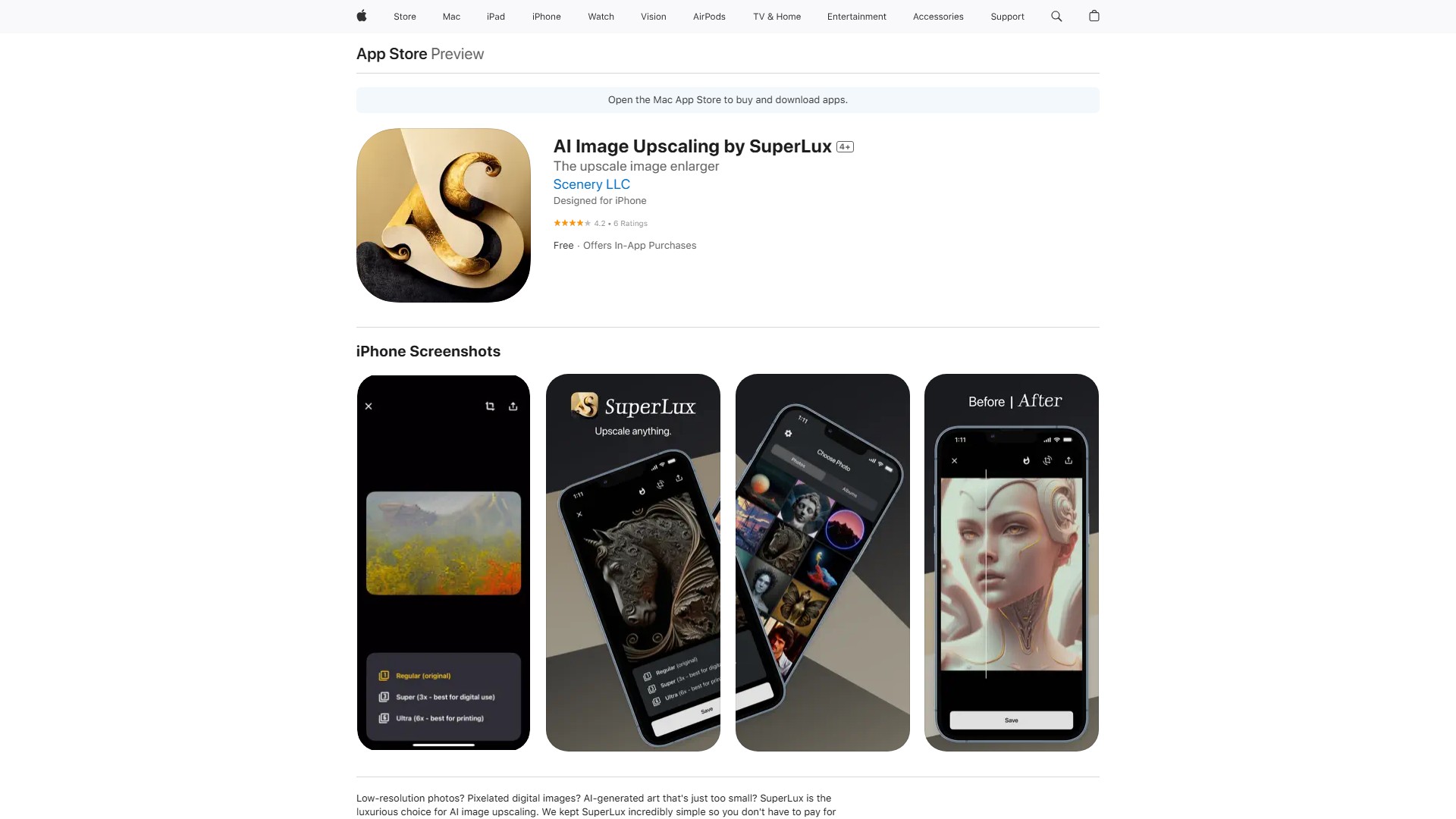
SuperLux est la solution luxueuse pour agrandir des images avec l’IA, de 512 x 512 jusqu’à 6000x6000 pour imprimer et exposer vos images.
À propos de cet outil
SuperLux est la solution luxueuse pour agrandir des images avec l’IA. Elle peut transformer une photo de 512 x 512 en image allant jusqu’à 6000x6000, afin de l’imprimer et de l’exposer.
Fonctionnalités et caractéristiques principales
- Agrandissement d’image par IA : deux options sont proposées : Super, jusqu’à 3x la résolution, et Ultra, jusqu’à 12x. Super convient à l’usage numérique avec des fichiers plus petits et des temps de traitement ou de chargement réduits. Ultra convient à l’impression ou aux usages en ligne nécessitant de très grandes images, mais son traitement et son téléchargement prennent plus de temps en raison de la taille des fichiers.
- Ajustement du format : choisissez parmi 14 formats d’image. L’image est automatiquement redimensionnée dans le cadre. Vous pouvez aussi la recadrer, la déplacer ou zoomer.
- Simple et convivial : aucun outil complexe de retouche ni connaissance technique supplémentaire n’est nécessaire. L’application ne contient ni publicité ni artifice. Étape 1 : sélectionnez une image dans la pellicule, qu’il s’agisse d’une œuvre générée par IA, d’une ancienne photo numérisée ou d’une capture d’écran recadrée. Étape 2 : choisissez la résolution. Étape 3 : ajustez le format. Étape 4 : enregistrez ou partagez l’image.
Avantages principaux
- Abordable : ce n’est pas une application complète de retouche d’image et son prix n’est donc pas celui d’un tel outil. Elle se concentre sur une seule tâche : agrandir les images avec efficacité.
- Expérience luxueuse : pas de publicité, essai gratuit, aucune fonction superflue et une interface bien conçue, attentive à l’expérience utilisateur.
- Outil idéal pour les amateurs d’art IA : dérivé de Creator: AI Generated Art, SuperLux est particulièrement adapté aux œuvres et images générées par IA dans de petits formats comme 512 x 512, qu’il transforme en images assez grandes pour être accrochées au mur.
Utilisateurs ciblés
Amateurs d’art IA, personnes souhaitant améliorer des photos basse résolution ou des images numériques pixelisées, et utilisateurs souhaitant modifier le format de leurs images.
Tarification et modèle
L’application est gratuite à essayer et propose des achats intégrés. Un abonnement d’amélioration photo illimitée est disponible pour 2,99 $ par an.
Compatibilité
Nécessite iOS 16.0 ou version ultérieure sur iPhone. Sur Mac, nécessite macOS 13.0 ou version ultérieure et un Mac équipé d’une puce Apple M1 ou ultérieure.
Analyse du trafic
Signaux de trafic, de classement et d’engagement pour cet outil.
Aucune donnée analytique pour le moment
Aperçu de l’interface