Image editing
Blur background
Automatically blur background of photo online and create a focus on subject or portrait. Simply upload a photo and get quality photo free in seconds! You can spend less on camera lenses or expensive tools.
Views
82.9K
Monthly visits
82.9K
Global rank
--
Votes
0
About this tool
Main Features:
- Auto Background Blur with AI: Utilizes advanced AI algorithms to automatically identify the main subject and apply a blur effect to the background, making the subject stand out.
- HD Quality Processing: Preview and download blurred background images in HD quality for editing, printing, and sharing without professional editing software.
- Adjust Blur Intensity: Easily control how the blur effect appears on images, increase or decrease the intensity, and create a shallow depth of field.
- Privacy Protection: Blur sensitive or confidential information like faces, locations, or surrounding objects to protect privacy.
Usage Instructions:
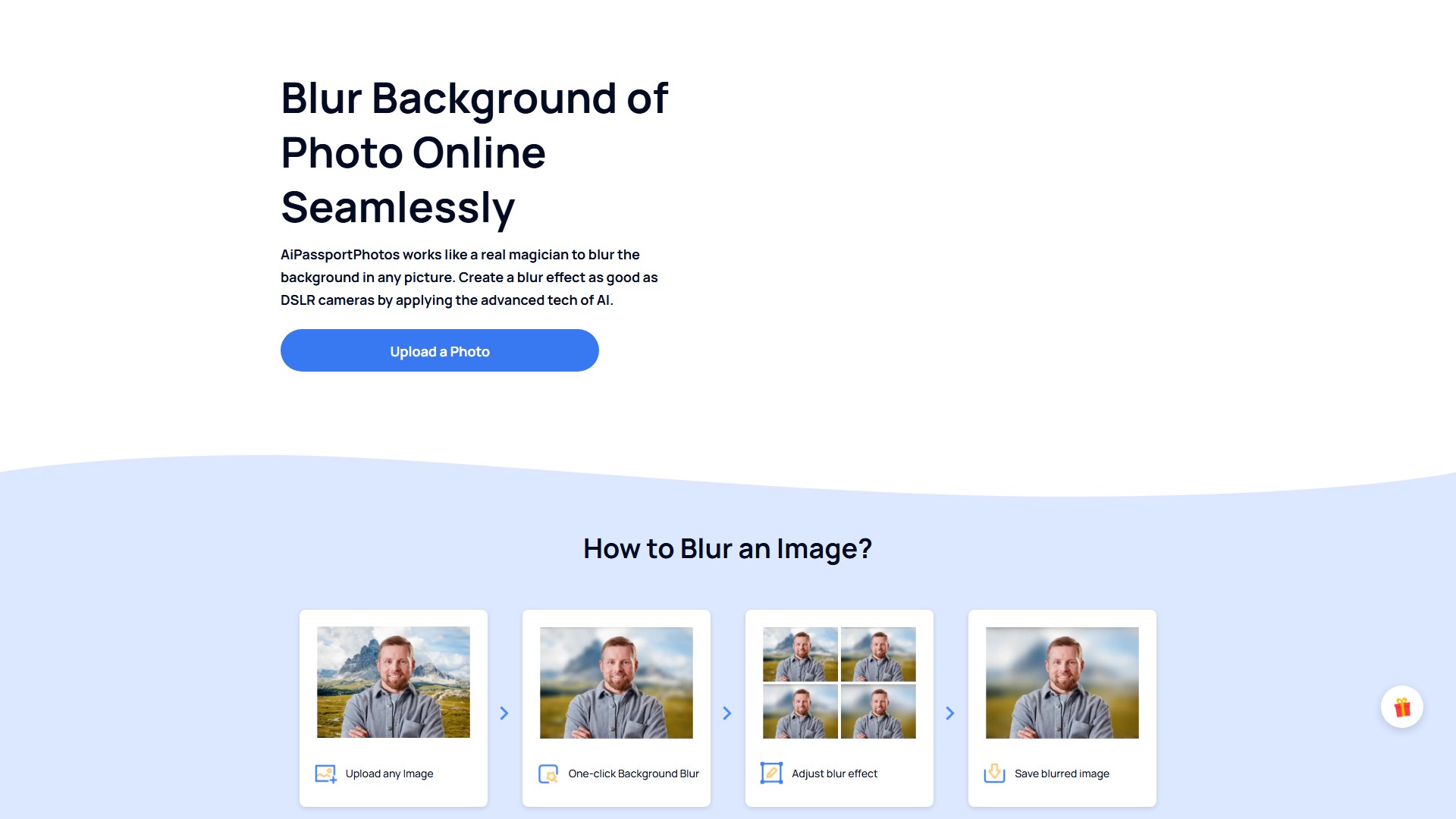
- Upload any image.
- Click one-click background blur, and AI automatically identifies the subject and separates it from the background.
- Adjust the blur intensity based on personal needs (6 different levels of blur effects available).
- Save the blurred image.
Target Users:
- Portrait Photographers: Save time on repetitive editing and lens costs, creating quality background blur in seconds.
- Content Creators: Bloggers, influencers, podcasters, and YouTubers can draw focus to their creativity and boost virtual presence.
- Product Sellers: Showcase high-quality product photos by blurring distracting backgrounds, conveying professionalism.
- Graphic Designers: Incorporate blurred backgrounds into app/UI design, social media graphics, or marketing materials to grab attention.
- Social Media Users: Blur the background of LinkedIn profile photos to convey professionalism.
Core Advantages:
- Backed by AI Tech: Smart focus functionality automatically identifies which area to blend into the background.
- Focus Automatically: One click to blur the background of portraits, products, or animal images without prior experience.
- Time-saving Option: Works on both Android and iPhone, allowing background blur anytime, anywhere without downloading software.
- Customized Editing: Customize the blurry background with different blur options, making the subject the center of attention.
FAQ Information:
- Purpose of Blur Effect: Brings more emphasis to the main subject, softens edges, and creates a sense of speed and dynamics.
- Cannot Create Bokeh: The tool provides blur effects but cannot create Bokeh, which is associated with circular, out-of-focus points of light.
- Subject Will Not Be Blurred: The blur effect only works on the background; the subject is isolated and free from being blurred.
- Alternative to Photoshop: Definitely possible to blur the background online without using Photoshop.
- Use on iPhone without Portrait Mode: Get a blurred background by getting closer to the subject or using this free photo blurrer.
- Pricing Model: Offers free usage and a credit system (invite friends to earn free credits); specific pricing requires login.
Traffic analysis
Traffic, ranking, and engagement signals for this tool.
No analytics data yet
Interface preview