
The Drive AI

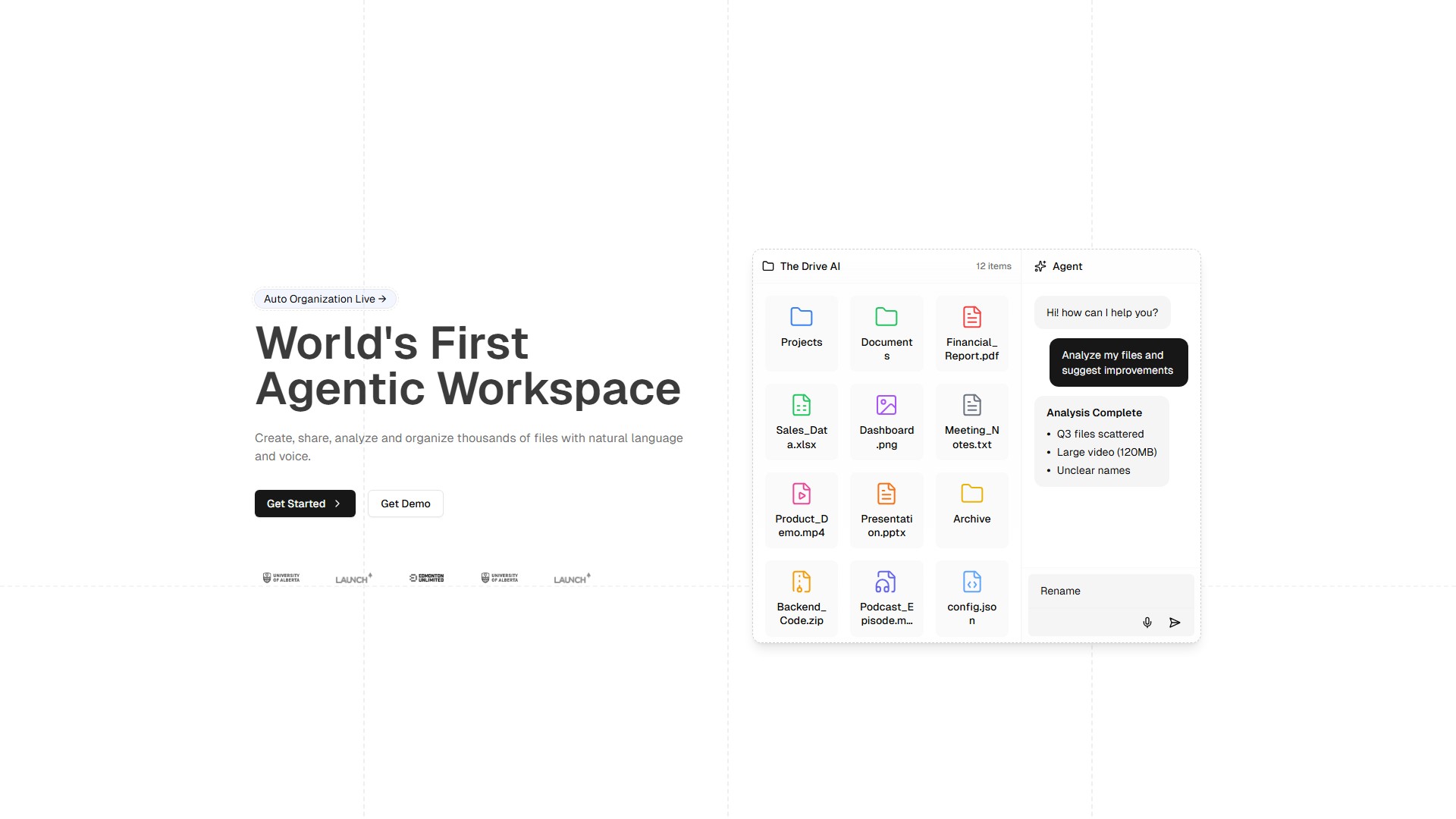
Main Features and Characteristics:
- Auto Organization: Stop wasting time organizing files. AI reads, understands, and organizes them instantly after dragging and dropping. Creates nested folder structures automatically. Works with PDFs, images, documents, and more. Offers Gmail integration for email attachments. Ideal for continuous file influx scenarios. Organization time is <1 sec, saving 2.5 hrs daily per user.
- Multimodal Agentic Actions: Agents that just don't answer questions, but take action. Create, rename, archive, share, and organize files with words and voice. Browse the internet to search and fetch information/files. Supports pdf, images, audio, and video formats. Provides speaker identification, timestamps, and meeting automation, as well as image analysis (object detection, OCR, and more). Features secure file sharing, private storage, and workflow automation. Replaces file management tools like Google Drive, Adobe Acrobat, Dropbox, OneDrive, and Box.
- AI Writing Assistant: Transform your writing process with AI-powered assistance. Get intelligent suggestions, overcome writer's block, and create content faster than ever. Multi-model AI support (GPT-4, Claude, Gemini). Context-aware writing suggestions. Switch context seamlessly between documents. Ask agents to write, edit, or summarize. AI suggested auto completions. Replaces AI writing tools like Jasper AI, Copy.ai, Writesonic, Grammarly, and ChatGPT.
Target Users and Typical Use Cases:
- Students: Automatically organize lecture notes and readings into folders. Rename files for clarity and consistency. Generate summaries and flashcards from PDFs and docs. Set permissions for group projects and share instantly.
- Legal Teams: Bulk rename and organize contracts by client or case. Extract and summarize clauses from large files. Set and audit file permissions for sensitive documents. Share files securely with custom access controls.
- Financial Analysts: Create folders for each client or quarter automatically. Rename and tag statements for easy retrieval. Analyze and summarize financial reports instantly. Share findings with custom permissions and links.
- Marketing Teams: Auto-organize campaign assets by project or channel. Rename and tag creative files for fast searching. Analyze survey results and generate reports. Share assets with the right permissions in one click.
- Business Teams: Bulk organize and rename files from different departments. Set, update, and audit permissions for sensitive folders. Analyze meeting notes and auto-generate action items. Share reports and presentations securely with teams.
- Product Teams: Organize specs, designs, and feedback by release or feature. Rename and version files for clarity. Analyze feedback docs and auto-summarize insights. Set permissions and share with stakeholders instantly.
Core Advantages:
- Intelligent Operation: All file management operations can be completed via natural language and voice, without tedious clicking.
- Efficient Automation: AI automatically reads content and organizes it, saving significant time with extremely fast processing speeds.
- Multimodal Support: Extensive support for analyzing and processing various file formats including PDF, images, audio, and video.
- Multi-model Support: Integrates mainstream AI models such as GPT-4, Claude, and Gemini to provide powerful writing and analysis capabilities.
- Replaces Traditional Tools: Integrates the functions of traditional cloud storage (Google Drive, Dropbox, OneDrive, Box) and document processing, upgrading them through intelligent agents.
Pricing Model: The page includes a Pricing link and a 'Try It Free' option, adopting a freemium and paid model. Specific prices require visiting their pricing page.
Country:
France
Comment