
i0S Messages Fake Message Generator
Key Features
- iOS 17/18 Design: Pixel-perfect recreation of the latest iPhone messaging interface with authentic fonts and spacing
- Read Receipts & Delivery: Add 'Read', 'Delivered', and timestamp status to make conversations 100% realistic
- Typing Indicators: Show real-time typing bubbles with three-dot animations just like real iMessage
- Group Chats: Create group conversations with multiple participants, names, and profile pictures
- Message Reactions: Add tapback reactions like ❤️, 👍, 👎, 😂, !! and ?? to any message
- Media Support: Include photos, videos, voice messages, and location sharing in conversations
- Dark Mode: Switch between light and dark themes to match iOS appearance settings
- Export Options: Download as high-quality PNG, JPG, or share directly to social media
How to Use
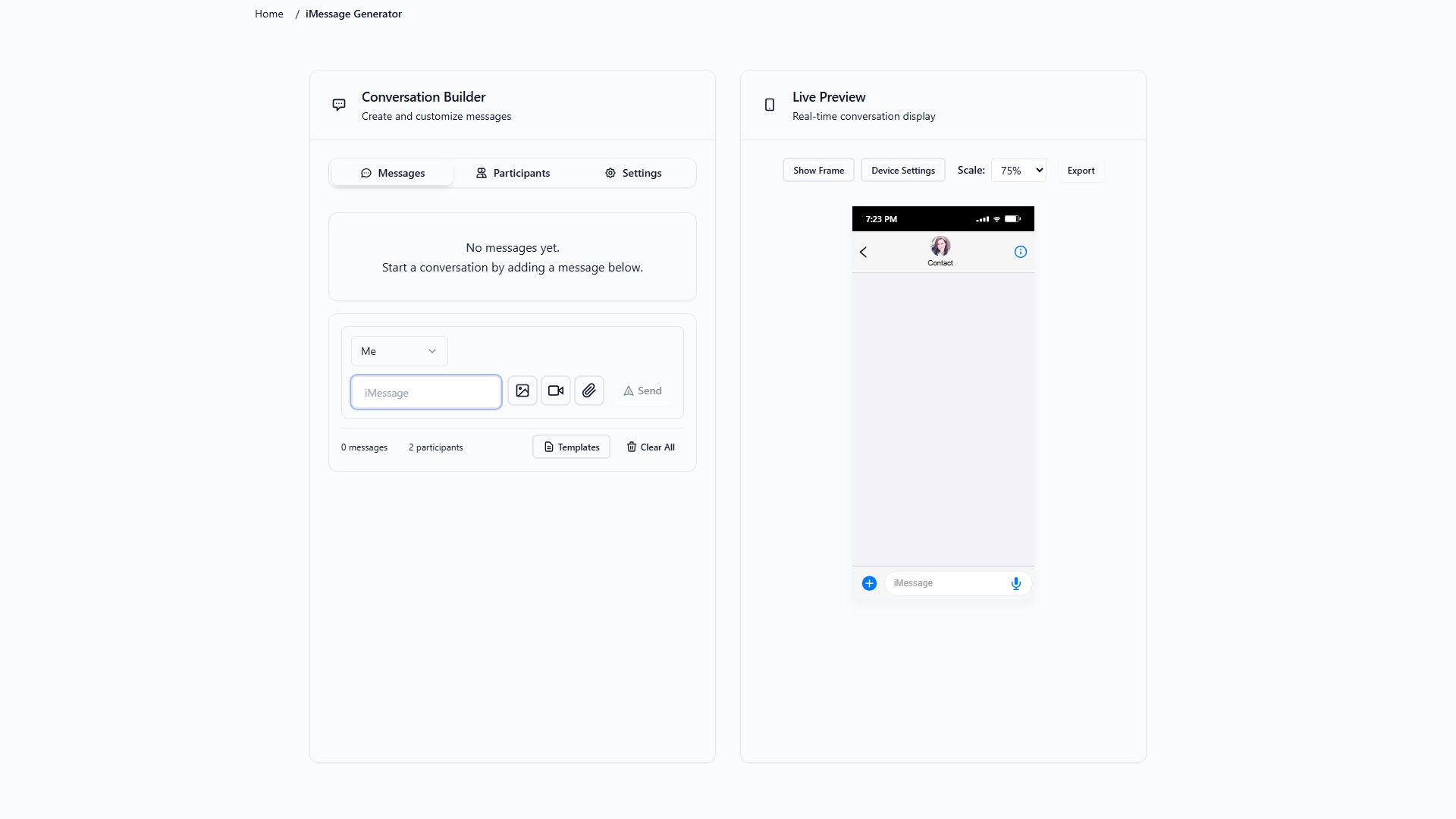
- Setup iPhone Header: Set contact name, profile picture, carrier, battery level, and time
- Add Messages: Type messages and choose blue (sent) or gray (received) bubbles
- Customize Details: Add timestamps, read receipts, reactions, and typing indicators
- Polish & Export: Preview, adjust, and download your iMessage conversation as PNG/JPG
Target Users
- Social media content creation
- YouTube video thumbnails
- Meme generation
- App mockups and presentations
- Educational demonstrations
- Entertainment and pranks
- Marketing materials
- UI/UX design portfolios
Core Advantages
- 100% free forever, no watermarks
- Pixel-perfect replicas virtually indistinguishable from real screenshots
- Edit, rearrange, or delete any message anytime
- Instant download, instant results
- 4.9★ user rating
FAQ
- Is it free? Yes, 100% free with no watermarks, sign-ups, or hidden fees
- Supports group chats? Yes, supports group conversations with multiple participants
- Looks exactly like real iPhone messages? Absolutely, uses exact iOS 17/18 design specifications
- Can add images, emojis, and reactions? Yes, supports all iMessage features
- Can edit after creating? Yes, can edit, rearrange, or delete any message at any time
Pricing Mode:
Free
Comment