
HitPaw Photo Enhancer
Main Features
- AI Image Enhancement: One-click upscale low-quality pictures to HD, 2K, 4K, 8K, and even 16K resolution, enhance texture and amplify every detail.
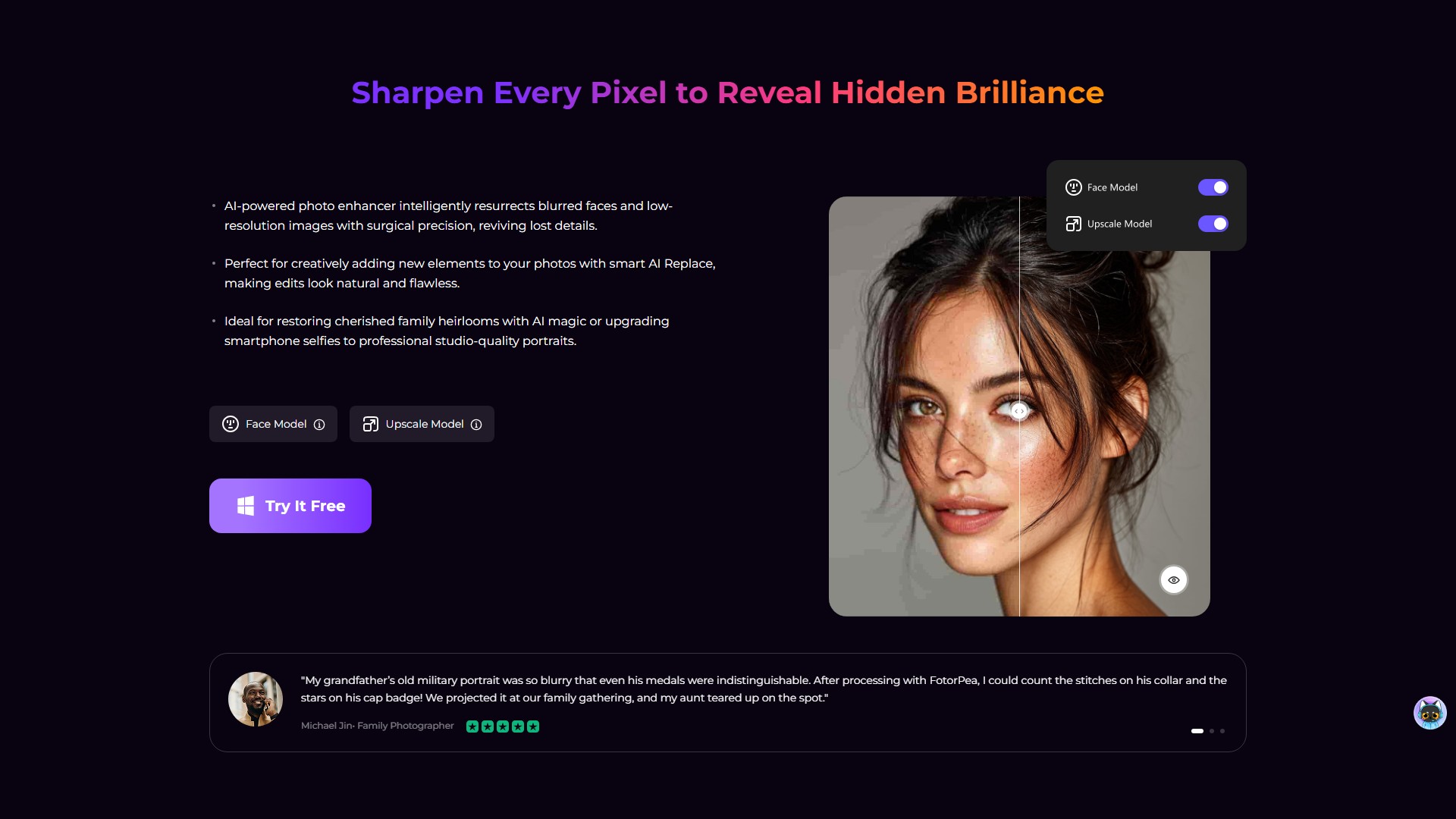
- Face Model: Intelligently resurrects blurred faces and low-resolution images with surgical precision, reviving lost details, upgrading smartphone selfies to professional studio-quality portraits.
- Sharpen Model / Blur Repair: Erase motion chaos, correct lens slip and misfocused lenses, intelligently reconstructs razor-sharp edges and details, rescue action shots and fast cars.
- Denoise Model / Low-light Model: Precisely hunts down noise ghosts in night skies, compression JPEG artifacts, and film grain, perfectly balances shadow/highlight details while scrubbing away digital snowstorms in low-light shots without plasticizing textures.
- Colorize Model / Scratch Repair / Color Calibration: Accurately decodes monochrome tones or distorted hues to revive authentic skin tones, intelligently auto-matches historical clothing palettes and sunset gradients, fixes washed-out concert lights or yellowed old photos.
- AI Generator: Transforms text or reference images into stunning visuals. Versatile styles include portraits, landscapes, anime, and digital art.
- Magic Upscaler: Enhance photo resolution up to 4x while keeping details sharp, ideal for art and product photos.
- Background Remover: Instantly detects and removes backgrounds for clean, pro-level photos with smooth, accurate edges and flexible transparency.
- AI Face Swap: Swap faces with natural tones, expressions, and lighting, blending features seamlessly for smooth, realistic results.
- ID Photo: Auto-adjusts photos to fit passport, visa, and ID standards, enhances facial clarity with sharp, natural results in seconds.
- AI Portrait Generator: Create portraits in customizable styles like realistic, anime, or abstract, capturing facial details and expressions with stunning accuracy.
Usage Steps
- Launch the photo enhancer software and upload your blurred image(s).
- Select a suitable AI enhancement model based on image type to get better effect.
- Preview the effect and export the upscaled image.
Target Users
Family photographers, documentary photographers, online store owners, kindergarten teachers, motorsports photographers, stage photographers, wedding planners, concert photographers, food bloggers, museum digitization leads, designers, content creators, and artists.
Core Advantages
- Utilizes advanced AI technology to help users without any photo repair or upscale knowledge to one-click restore or improve the quality of any kind of photo.
- Features 9 different Artificial Intelligence models (including General, Denoise, Face, Colorize, etc.) for professional-grade optimization on any occasion.
- Preserves natural details while sharpening and upscaling images without plasticizing textures.
System Requirements
- Windows: Windows 11/10 (64-bit), Intel i3 (4th generation) or AMD Ryzen 3 equivalent or above, 8GB RAM, NVIDIA GTX 950 or AMD Radeon 460 equivalent or above, DirectX 12.
- Mac: macOS 10.15 or later, Intel i3 (4th generation) or Apple M1 equivalent or above, 8GB RAM, Intel UHD 630 or Apple M1 equivalent or above.
- Supported Formats: Input/Output both support .png, .jpg, .jpeg, .webp, .tif, .tga, .bmp, .jfif.
Pricing Information
Offers a free trial (7-day free trial), a limited-time "Buy for $0" offer, and paid full versions for Windows and Mac.
FAQs
- What is the best photo enhancer for PC?: HitPaw FotorPea is the best and most trustworthy, allowing easy image upscaling, denoising, and color correction, as well as restoring old photos.
- How to improve photo resolution to HD, 2K, 4K, 8K, or 16K?: Using FotorPea's advanced AI technology, you can easily upscale low-quality pictures with one click while preserving natural details.
- How to enlarge photos?: Import photo, select AI model and output resolution, preview and export.
- What makes HitPaw FotorPea different?: AI technology enables users with zero knowledge to one-click restore or improve photo quality.
- How does it unblur the image?: Import the blurry or out of focus picture, apply the enhancement, and it will come out clear within minutes.
Visits:
1.8M
Country:
United States
Pricing Mode:
Paid
Comment